notchTerm
My Claude and Codex sessions in Terminal show up as a chip each beside the MacBook notch. Move the pointer toward the notch and a panel opens with each session’s latest output and a field for typing to one of them.
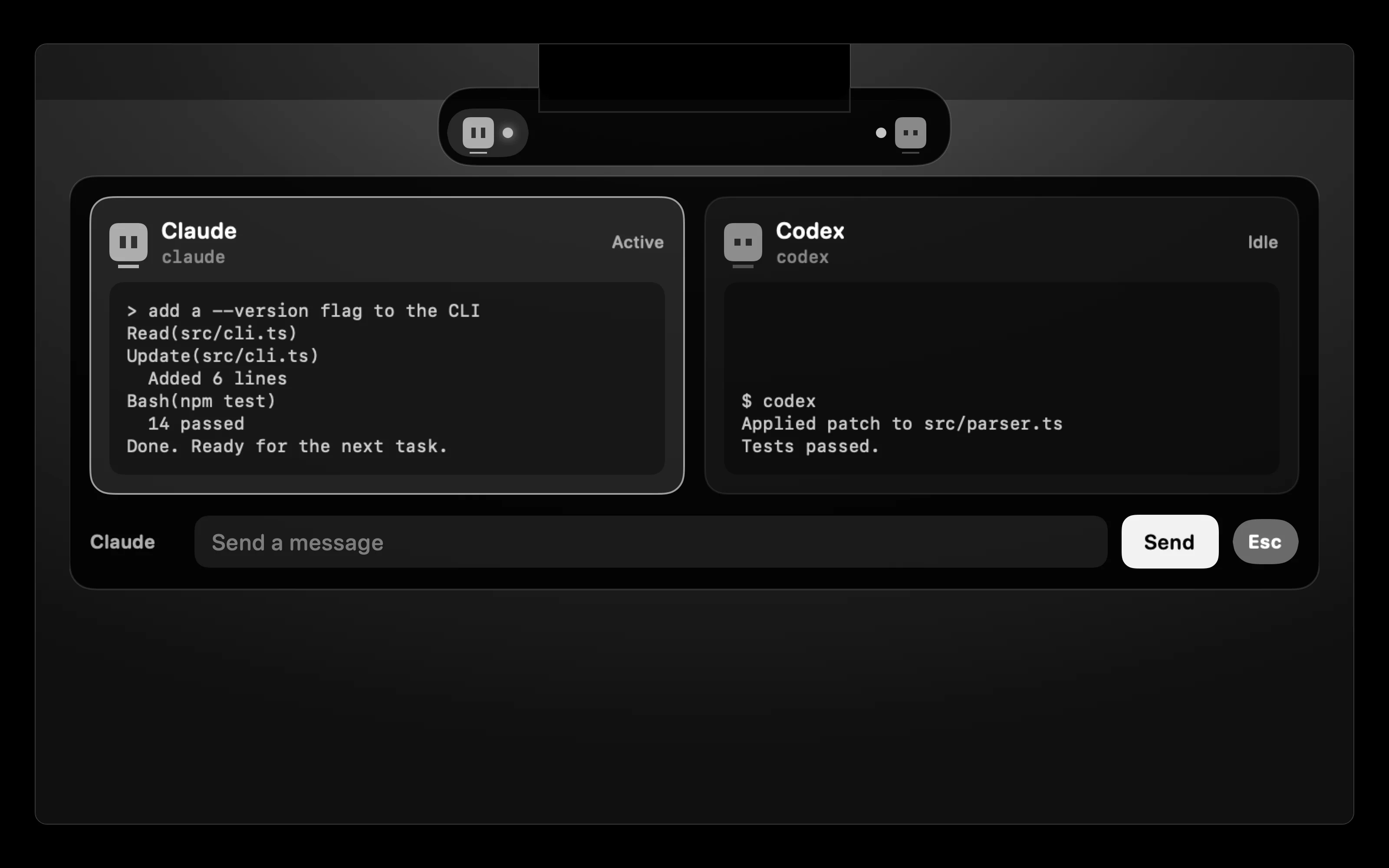
The panel
notchTerm is a SwiftUI menu-bar app with no Dock icon. The panel unfolds out of the notch with a genie animation and stays open while the pointer is over it or the message field has focus. A click outside it, a switch to another app or the pointer moving off it closes it again.
Fitting around the notch
The overlay first drew well below the top of the screen. The window was in the right place, but the SwiftUI view inside it had sized itself to the small collapsed bar and floated in the middle of the larger window. Pinning the view to all four edges of the window fixed it.
The overlay takes the notch height from the top safe-area inset and the notch width from the gap between the two areas beside it, with no size hard-coded for one Mac. Its window sits above the menu bar, where its top merges with the notch instead of being clipped by it.

Talking to Terminal
notchTerm does not start Claude or Codex. It attaches to whatever Terminal tab is already running one. An AppleScript, locateTab, finds the tab whose processes include claude or codex, and every 1.2 seconds the app reads that tab’s visible text and shows the last 12 lines. A session reads Active when its tab is busy, Idle when it is not, and Offline when no tab matches.
Pasting text into a tab left the message sitting in the input box, because the pasted newline did not count as Enter. To send, the app brings the matching tab forward and types the message and a Return through System Events, and the Esc button works the same way.
macOS asks for Automation permission to drive Terminal and Accessibility for System Events. Without them the panes read Offline and sending is disabled, and the interface still runs. While it runs from source, those prompts can name Terminal as the app asking. A signed app bundle and iTerm2 support are among the open items in my notes.
tell application "Terminal" set bestTTY to "" set bestBusy to false set haveSelected to false repeat with wi from 1 to (count of windows) repeat with ti from 1 to (count of tabs of window wi) if ((processes of tab ti of window wi) as string) contains "\(escape(keyword))" then set thisTTY to (tty of tab ti of window wi) as string set thisBusy to (busy of tab ti of window wi) set thisSel to (selected of tab ti of window wi) if bestTTY is "" or (thisSel and not haveSelected) then set bestTTY to thisTTY set bestBusy to thisBusy set haveSelected to thisSel end if end if end repeat end repeat return bestTTY & "|" & (bestBusy as string)end tellInside
- Platform
- macOS 13 or later
- Core
NotchTermCoreholds the session routing and the overlay layout math.- App
NotchTermAppholds the Terminal bridge and the overlay.